Buying guide
Scoreboard APP, Remote, Console or Button Control: Buyer Guide
Wireless describes a connection method, but it does not tell a buyer who will operate the equipment or which interface they will use. This guide compares the stated APP, handheld remote, console and on-unit button options in the RYK range so a quote request names the operating workflow as well as the display.
Define the operator first. State whether a coach, score-table official, venue staff member or a rotating group of users will control the display, where that person will stand and whether they need to see the court while operating it. This identifies the required interface before a buyer compares model prices.
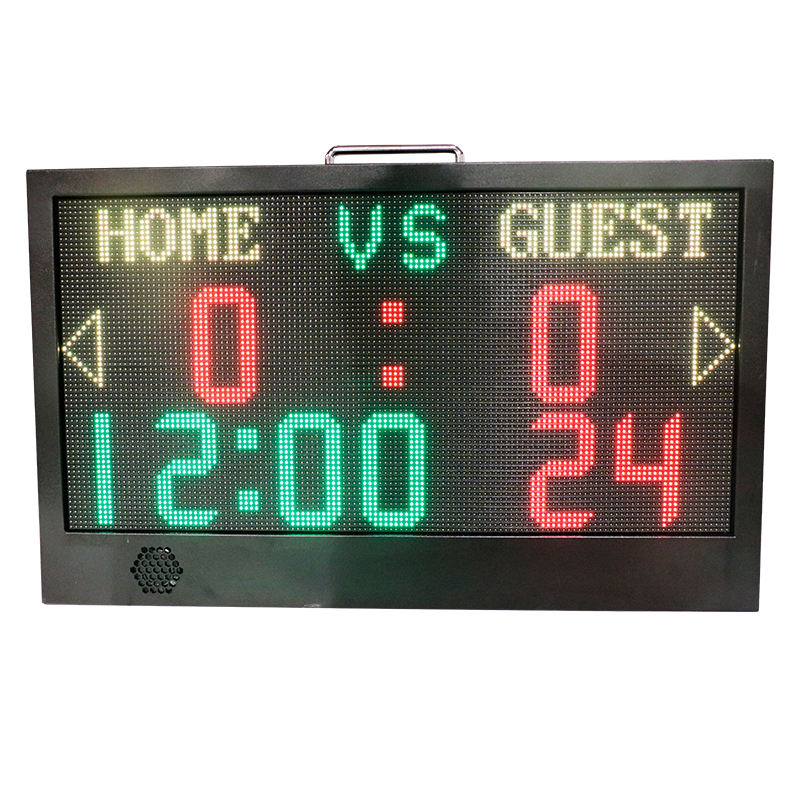
Use APP control when the selected product and the event workflow both call for it. The YS APP Controlled Portable LED Scoreboard lists APP control, custom team names, score, ball rights, countdown timing and a 24-second display. Include the required display functions and the intended portable court use in the inquiry instead of assuming that APP control is supplied on another portable model.
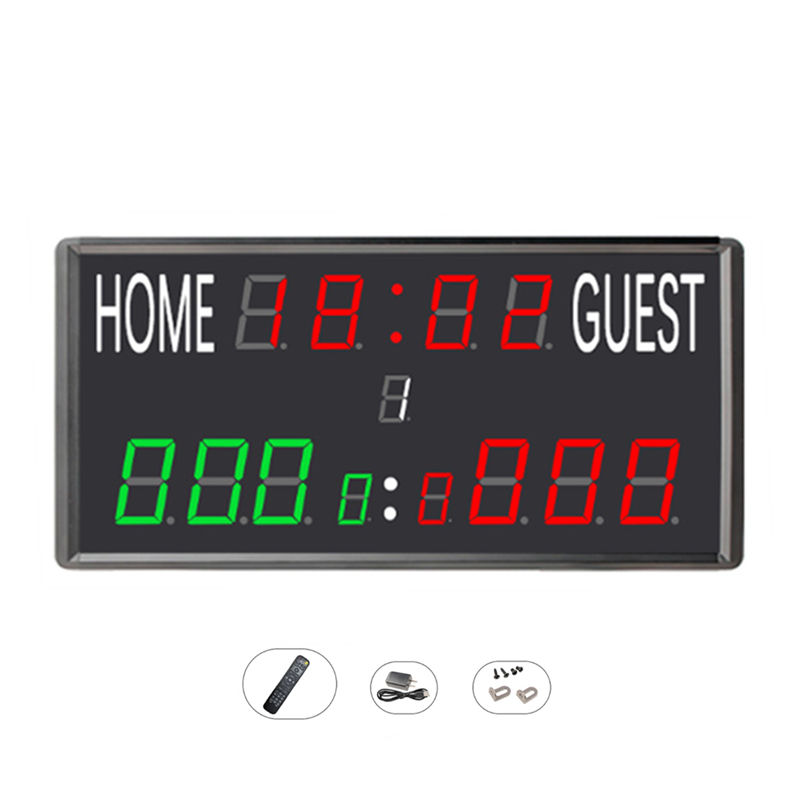
Use a handheld remote for simple court-side score and time operation where the chosen model lists one. The JX LED Timer Scoreboard with Remote combines Home / Guest scoring and timer display with remote control in a 41 x 27 x 6.5 cm indoor unit. Confirm the scorekeeper position and required sport, then ask the supplier to confirm the selected remote-control configuration.
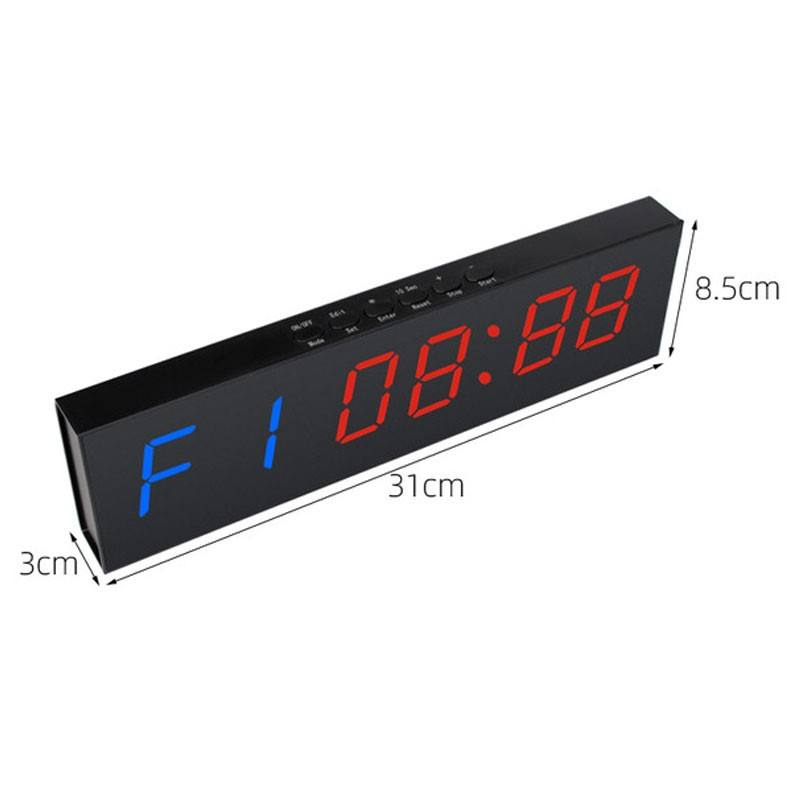
Keep local controls visible when the operator must work beside the timer or needs a fallback at the display. The JX 6-Digit LED Gym Timer lists both remote control and top buttons for mode, set, reset, stop and start. The LED Count Clock Interval Timer lists no remote and instead uses top start, stop, clock, timer and reset controls, so its operating position should be planned at the unit rather than from across the court.
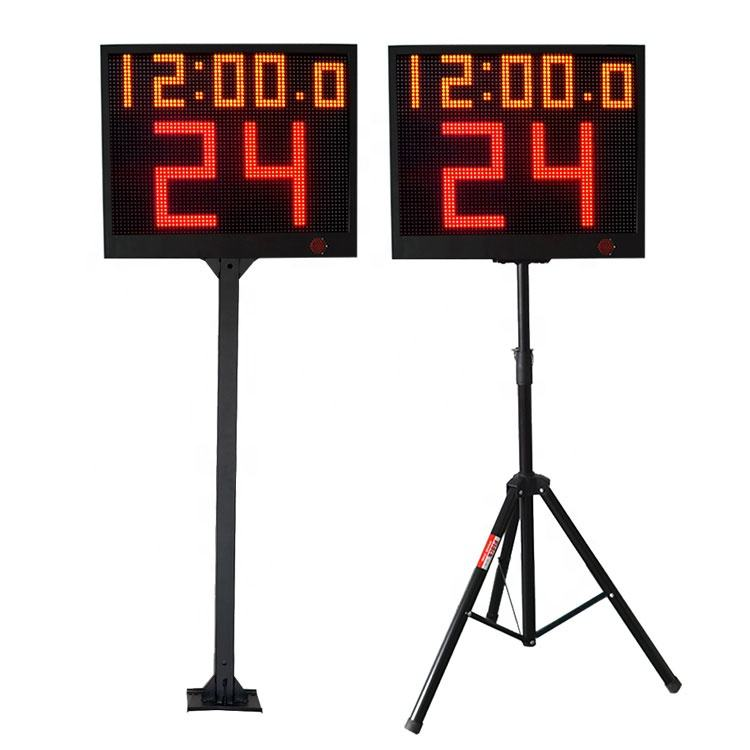
Use a console-style workflow for paired basketball timing when the selected system specifies it. The YS 24s LED Shot Clock Pair lists APP control or a wireless console and is supplied as two single-face 24-second timers with a controller. State the preferred control option, pair quantity, stand choice and proposed scorekeeper location on the same request.
Do not use a broad term such as wireless to replace the actual control requirement. A wireless remote, APP and console are different operator interfaces, and a product may also list on-unit buttons or a separate data cable. Name the exact selected model and the desired interface, then ask the supplier to confirm what is included and whether it matches the planned setup.
For a replacement or multi-court order, add the current model, existing control device, court assignment, quantity and any visible settings to the inquiry. Ask for written compatibility and a line-item package summary before ordering; visually similar remotes or consoles should not be treated as interchangeable.