Buying guide
Basketball Shot Clock Viewing Layout Checklist: Pair, Cube or Main Scoreboard
Shot-clock placement is not only a mounting decision: buyers also need to identify who must read the timer and from which direction. This checklist helps a venue record its court-end, score-table and spectator sightlines, then select a published display format without assuming that every clock face serves every position.
Mark every position that needs a timing reference before selecting a display: each basket end, the score table, benches and any spectator-facing direction. Add venue photos or a simple court sketch to the inquiry so the proposed clock positions can be reviewed against the actual sightlines.
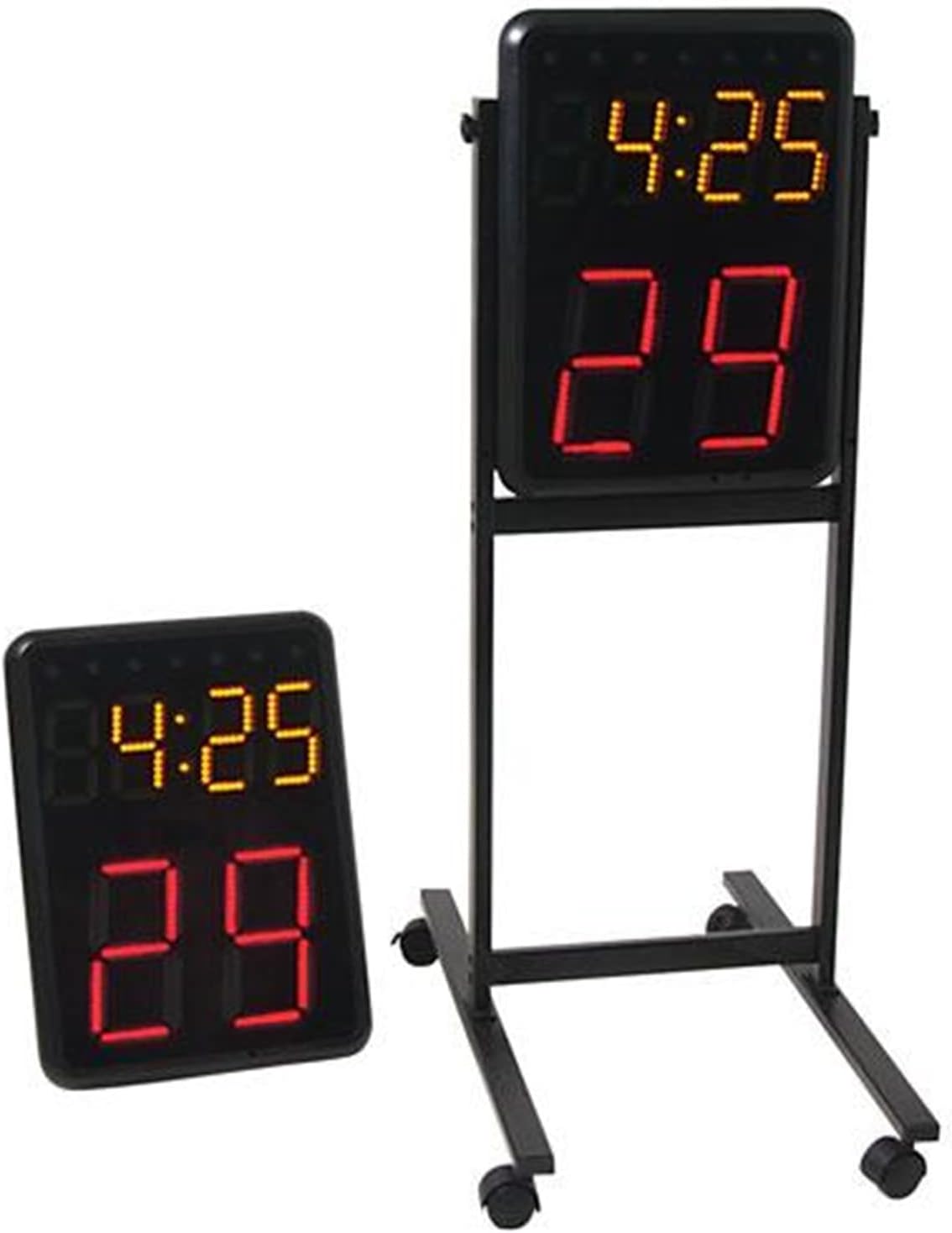
For a conventional two-end layout, state that the requirement is a pair rather than one unspecified clock. The Wireless Basketball Shot Clock Pair lists two displays, each with 8-inch red shot-clock digits and 4.7-inch yellow game-clock digits. Its stated compatibility applies to SK2229R/WC201, SK3048 and SK999-style scoreboards; request confirmation for any other main board.
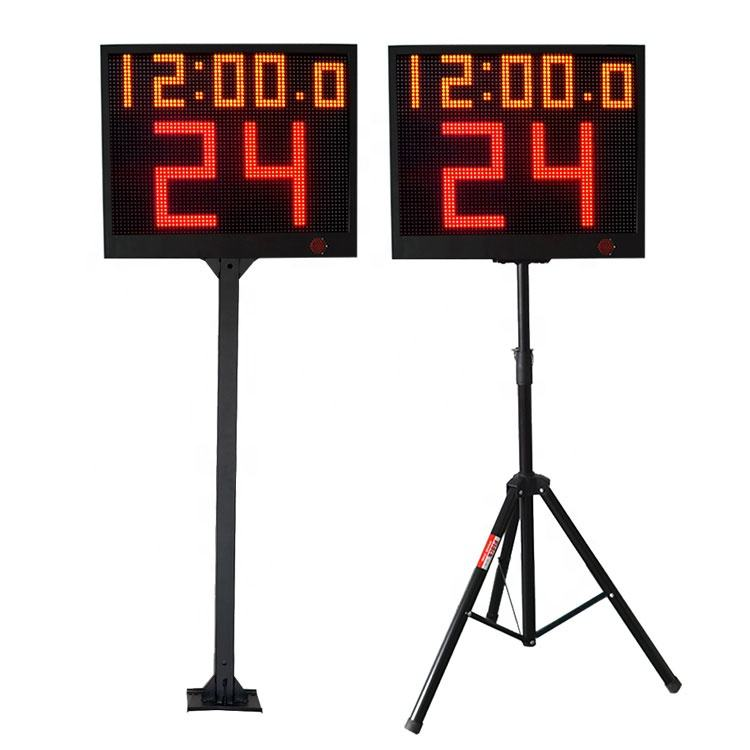
Keep the physical display face distinct from the delivery quantity. The YS 24s LED Shot Clock Pair is described as two single-face 24-second countdown timers with a controller, with each display listed at 69.5 x 58 x 7 cm. Record which direction each single-face display will serve, then ask for the chosen controller and stand option on the same quote line.
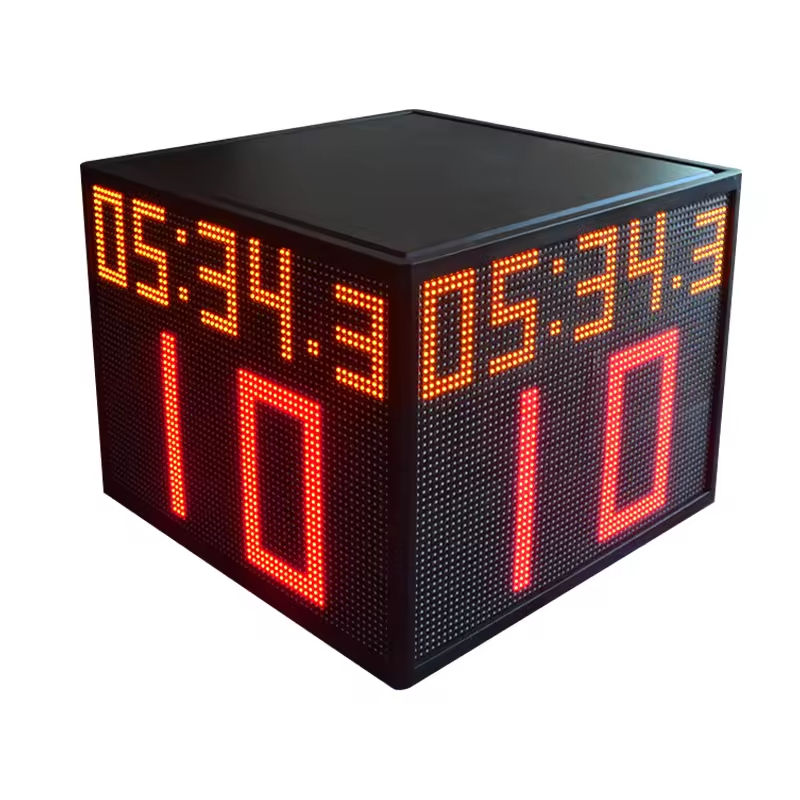
Use a four-sided option only when the project needs timing visible around a central or elevated court position. The YS Four-Sided 24s Shot Clock Cube lists four display faces, a 69.5 x 69.5 x 53.5 cm cabinet and wireless controller or console control. Confirm the intended support or fixed installation position with the supplier; the four faces do not determine a safe mounting method by themselves.
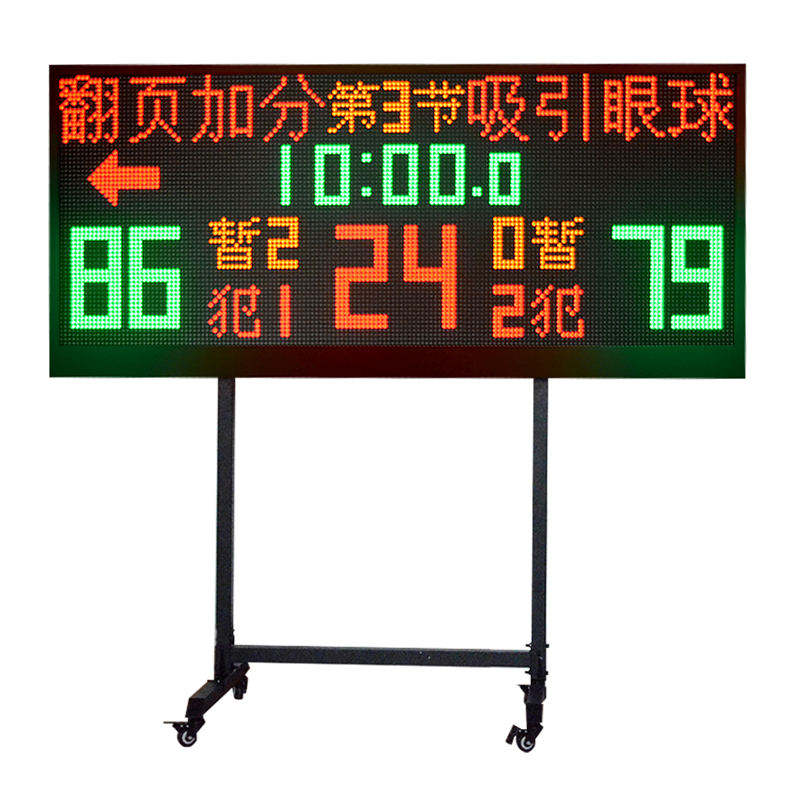
Separate a main scoreboard's timing display from court-end shot clocks. The YS 1.7m / 2m Wireless Multisport Scoreboard lists team names, score, countdown timer, period, fouls and a 24-second shot clock, but its published features do not remove the need to specify any separate court-end timing display required by the venue workflow.
Match the control plan to the positions that must remain synchronized. The YS 24s pair lists APP control or a wireless console, the Four-Sided Cube lists wireless controller or console control, and the Wireless Basketball Shot Clock Pair includes a controller. Name the chosen product and operating position, then ask the supplier to confirm the selected control configuration rather than treating similarly named controls as interchangeable.
Request one written layout summary before ordering: selected model, quantity and display-face direction, court sketch or photos, proposed support method, controller choice, main scoreboard model if integration is requested, power arrangement, destination and all included versus separately quoted items. Use the mounting guide for support details and the viewing-distance guide to assess the proposed sightlines.